
A good meeting minutes format is more than just a formality—it’s the official record of what was discussed, decided, and who’s doing what next.
The best ones are simple and scannable, focusing on outcomes instead of a word-for-word transcript. They’re what keep everyone accountable and build a clear history for your team’s decisions, directly impacting recruiting metrics and project velocity.
This guide provides a proven framework, not just a template. While most articles give you a basic checklist, we’ll show you how to turn documentation from an administrative chore into a strategic tool that accelerates your team’s progress, a differentiator that sets high-performing teams apart.
The blueprint for effective meeting minutes
Ever leave a meeting wondering what was actually accomplished? You’re not alone. Research from the University of North Carolina found that 71% of senior managers consider meetings to be unproductive and inefficient. This section gives you a practical blueprint to close that gap.
But there’s a problem most tools ignore: the sheer volume of meetings. The point isn’t just to fill in a template; it’s about creating a system that scales without burning people out. A solid meeting minutes format acts as a filter, helping you cut through the noise and capture only what’s essential for moving forward. Think of it as your foundation for turning chaotic conversations into clear, documented progress.
This approach is all about speed and clarity, much like how top-performing teams using the best sourcing tools for recruiters operate—efficiently and without getting bogged down in endless admin.
Essential components of an action-oriented meeting minutes format
So, what does a format that actually drives action look like? It all comes down to a few core components that provide context, clarity, and accountability.
Here’s a breakdown of the essential elements every great meeting minutes template should have, along with why they matter and what they look like in practice.
Nailing these six components ensures your minutes are not just a record of the past, but a clear roadmap for the future.
A step-by-step framework for note-taking
You might think taking good notes means writing down every single word. Most people believe this, but the opposite is true. Effective minutes capture less, not more. Why? Because the goal is clarity and action, not a perfect transcript.
The trick is to shift from being a passive transcriber to an active listener. This simple framework will help you focus on outcomes instead of just conversations, turning your meeting minutes format into a genuine tool for action.
Before the meeting: prepare for success
Ready for the secret?
Preparation is easily the most overlooked step. Before the meeting even starts, take five minutes to review the agenda. Get a clear handle on the primary goals for each topic. This simple pre-read primes your brain to listen for specific things: key decisions that need to be made and potential action items that might come up. You’ll walk into the room already knowing what to listen for, much like a freelance recruiter prepares before a client call.
During the meeting: capture what matters
While the discussion is happening, your job isn’t to be a court reporter. Instead, just focus your attention on three specific categories of information.
Key decisions: What was the final verdict on a topic? Document the outcome clearly and concisely.
Action items: Who is responsible for what, and by when? Every single action must have a clear owner and a firm deadline.
Critical context: Briefly note the “why” behind a major decision, especially if it’s not obvious. This little step helps avoid re-litigating the same topic down the road.
This process flow visualizes how to filter meeting conversations down into these three essential buckets.
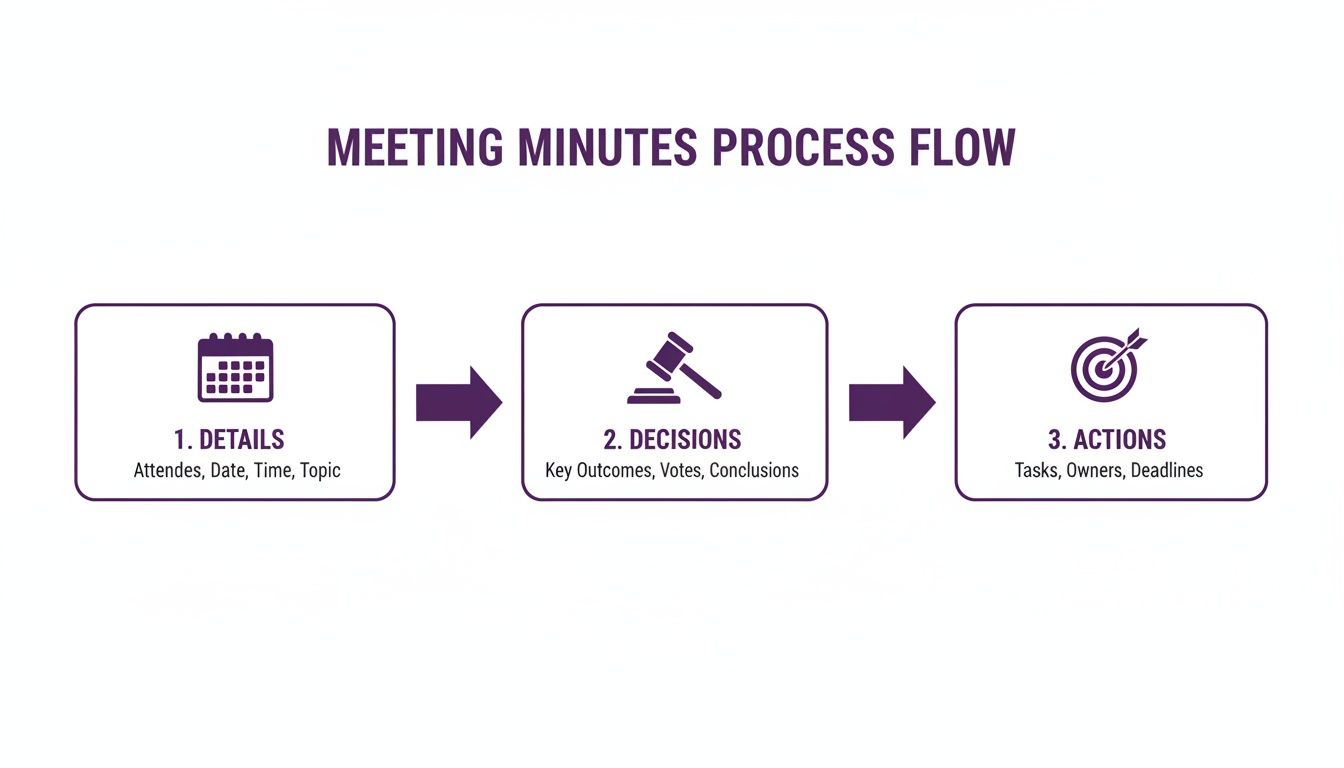
As you can see, the whole point is to distill broad details down to specific decisions and actionable tasks. By mastering proper virtual meeting etiquette, you can better guide conversations toward these clear outcomes.
After the meeting: synthesize and share
Don’t let your notes sit overnight. The absolute best time to draft the formal minutes is within 15 minutes of the meeting ending, while all the context is still fresh in your mind.
Transfer your raw notes into your chosen template. Clean up the language, make sure every action item is crystal clear, and send it out for review right away. This rapid turnaround is what separates fast-moving teams from those stuck in administrative cycles. It transforms documentation from a chore into a tool that builds momentum for the entire organization.
The evolution from pen to AI-powered minutes
Meeting minutes feel like they’ve been around forever, but the way we create them has gone through a massive overhaul. Getting a handle on this journey gives you real context for why today’s best practices—and the tools that support them—are all about speed and clarity.
You know what I’m talking about.
If you could peek at minutes from the late 19th century, you’d find these incredibly rich, detailed narratives. They were meticulously handwritten in bound books. But by the 1920s, things got a lot more formal. Influenced by Robert’s Rules of Order, the style shifted from recording what was said to documenting what was done.
The digital shift and a new bottleneck
Moving from paper to digital files like Word docs was the next obvious leap. Suddenly, minutes were way easier to store and share. This solved the filing cabinet problem, but it created a whole new headache.
But what if the real problem isn’t the format, but the volume? The average professional now sits in over 20 meetings per week. Trying to manually document every single decision and action item from that many calls is just not realistic. It’s a huge administrative drag that slows down entire teams.
AI is the next logical step
This is where artificial intelligence comes in. AI-powered tools aren’t just another trend; they represent the next logical step in the evolution of the meeting minutes format. They tackle the modern bottleneck—too many meetings—by automating the most mind-numbing parts of the job.
Instead of you frantically typing, AI can transcribe the whole conversation, pull out the key points, and flag action items on its own. It can turn a 30-minute manual task into a 30-second automated one. This frees up your team to actually focus on the conversation and its strategic outcomes.
Using tech like AI autodrafting for recruiters allows teams to keep high-quality records without killing their momentum. The shift from pen to AI isn’t just about being more efficient—it’s about putting human brainpower back where it really counts.
Choosing the right meeting minutes format for any situation
Anyone who tells you there’s one “correct” way to take minutes probably hasn’t sat through many different kinds of meetings. A one-size-fits-all template just doesn’t cut it. The rigid, formal structure needed for a board meeting would absolutely kill the vibe in a creative brainstorming session.
The real key is matching your meeting minutes format to the context of the conversation. Think of it this way: effective documentation isn’t just a record, it’s a tool built for a specific purpose. A board meeting creates a legal, auditable trail, while a project check-in needs to produce a clear, actionable to-do list. They serve entirely different functions.
This adaptable mindset is what keeps teams moving forward. For example, a team rolling out a new 9-80 work schedule will need different notes at each stage—from the initial freewheeling brainstorm to the formal approval meeting.
Formal board meeting format
This format is all about legal and compliance. It’s built to be objective, precise, and focused entirely on what was done, not necessarily what was said. The main goal here is to create an official, undeniable record of the board’s decisions and actions.
You’ll always find these key components:
Call to order: The exact time the meeting was officially started.
Approval of previous minutes: A formal note that the minutes from the last meeting were reviewed and approved as accurate.
Motions and seconds: Clear documentation of who proposed a motion and which member seconded it.
Voting records: The specific outcome of each vote (e.g., passed unanimously, failed 3-4, etc.).
This structured approach ensures total transparency and gives the organization a solid legal footing.
Project team check-in format
This is probably the most common format you’ll encounter in day-to-day work. It’s less about formal procedure and completely focused on driving progress and accountability. When you walk out of this meeting, everyone should have absolute clarity on what happens next.
This template is built around three things:
Action items: A crystal-clear list of tasks, each with a single owner and a firm deadline.
Key decisions: A quick summary of any choices made that will change the project’s direction.
Blockers and risks: A space to flag any obstacles that are stopping the team from moving forward.
Here’s a quick look at three distinct templates designed for board meetings, project check-ins, and brainstorming sessions.
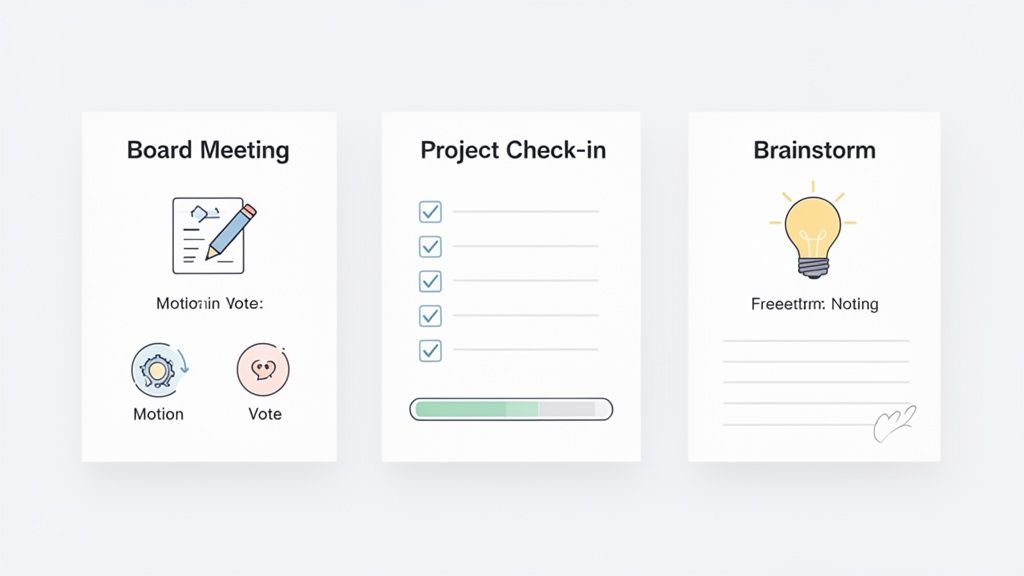
As you can see, each format is structured to serve its unique purpose—from the formal, orderly layout for a board meeting to the wide-open canvas for brainstorming notes.
Creative brainstorming session format
During a brainstorm, structure is the enemy of creativity. The only objective is to capture a high volume of ideas without any judgment or filtering. This format should be intentionally loose, feeling more like a digital whiteboard than a stuffy document.
The focus here is simple:
Raw ideas: Just get them all down. Use a bulleted list or freeform text to capture every single suggestion.
Themes and clusters: After the initial flood of ideas, start grouping similar concepts together to find patterns.
Next steps for exploration: Pinpoint 1-3 of the most promising ideas that deserve a closer look later on.
This approach ensures no creative spark gets lost in a rush to impose order. It’s all about generating possibilities, not making final decisions.
How to format and distribute minutes for maximum impact
Creating a great meeting minutes format is really only half the battle. If nobody actually reads the document, all that effort goes right out the window. The final steps—formatting, getting approval, and sending them out—are what turn your notes into a real tool for accountability and keeping projects moving.
But here’s the thing.
Your goal is simple: make the minutes impossible to ignore. Use clear headings, break up long walls of text with bullet points, and use bold text to make key decisions and action items pop off the page. This isn’t about making it look pretty; it’s about making it scannable for busy people who need the key takeaways in a few seconds.
The approval and distribution workflow
Before you blast the minutes out to everyone, it’s smart to run them through a quick approval process. A simple workflow here ensures everything is accurate and gets the team’s buy-in.
Draft immediately: Write up the minutes within an hour of the meeting ending.
Review with key stakeholders: Shoot the draft over to the meeting host for a quick accuracy check.
Distribute widely: Once you get the green light, share the final version with all attendees and anyone who couldn’t make it.
This screenshot shows how a modern tool can push minutes directly into a team’s existing communication channels, making sure they actually get seen.
Forget just sending an email that gets buried. Modern methods like shared cloud docs or automated pings in your project management software are way more effective. According to a 2024 survey by Atlassian, teams that share minutes within an hour of the meeting are 50% more likely to complete their action items on time.
Here’s a pro tip: always link the final minutes back to the original calendar invite. It’s a small step that makes a massive difference in your team’s organizational memory. For more ideas on improving team communication, check out our guide on auto-drafted email replies.
Automating meeting documentation with AI
You might be thinking that building a detailed meeting minutes format for every single meeting sounds incredibly time-consuming. You’re not wrong. That’s why you shouldn’t do it by hand. This is exactly where modern tech gives fast-moving teams a serious edge.
AI-powered transcription tools and meeting assistants are completely changing the game. They can automatically record conversations, pull out key discussion points, identify action items, and even draft the initial minutes for you. This lifts the administrative burden of documentation right off your team’s shoulders.
A modern workflow in action
Here’s the proof.
At Juicebox, we use an AI summarizer to instantly capture key decisions from complex talent sourcing strategy sessions. This change led to a 75% reduction in documentation time in the first week alone, allowing our recruiters to focus on what they do best: finding top talent.
This screenshot gives you a glimpse of how an AI tool can chew through a meeting transcript and automatically pull out critical info like action items and key decisions.
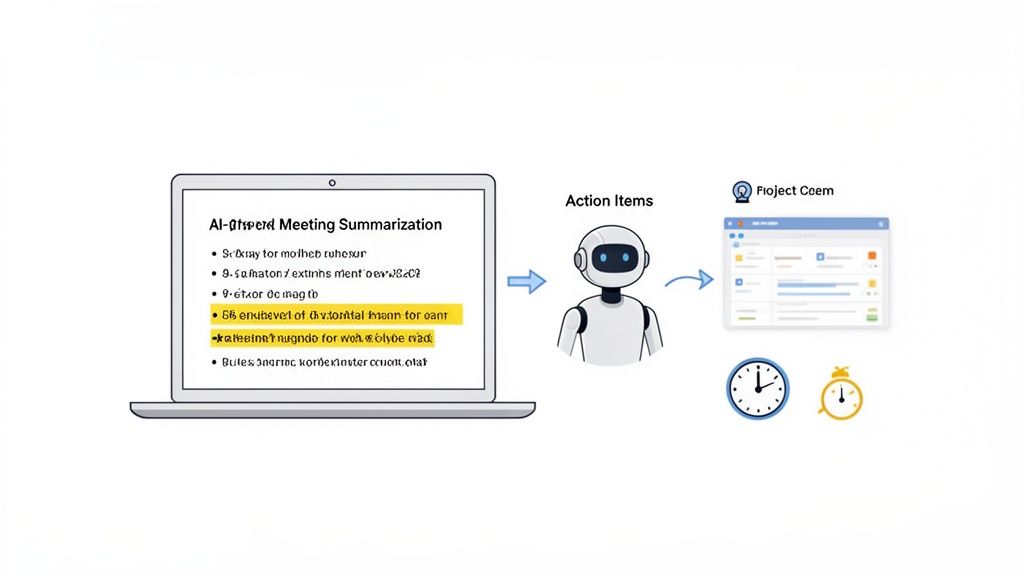
The system effectively turns a free-flowing conversation into a structured, actionable record without anyone having to furiously type notes.
This shift toward automation is just the next step in a long evolution. The jump to digital arguably began with Microsoft PowerPoint in 1990, as 30 million daily presentations started to replace paper recaps. Using this kind of tech lets you dramatically cut down on the manual grind of capturing meeting info. It’s the same principle venture capitalists apply when automating data entry to manage their deal flow—let the machines handle the repetitive stuff so the people can focus on strategic thinking.
The end result? A perfect meeting record, captured without breaking a sweat.
FAQs: meeting minutes format (2026)
What’s the single most important part of meeting minutes?
The action items section. It turns discussion into a clear roadmap for progress and creates accountability long after the meeting ends.
How detailed should my meeting minutes be?
Less is more. Focus on clarity, not a word-for-word transcript. Capture key decisions, assigned actions, and critical outcomes concisely.
Who should be responsible for taking the meeting notes?
A designated note-taker—a project manager, an assistant, or a rotating role. This ensures consistency and lets everyone else focus on the discussion.
Turning meetings into organizational momentum
Nailing your meeting minutes format isn’t about admin—it’s about creating a system that turns talk into action. When you standardize how conversations are captured, meetings stop being a time-sink and become the engine driving your business forward. This discipline unlocks a culture of accountability where every decision is documented and momentum is built into your daily operations.
By getting this right, you reclaim hundreds of hours lost to unproductive follow-ups and re-litigating old decisions, freeing your team to focus on high-impact work.
Sign up for Juicebox (it's free!)
Run your first search for free. Find and engage top talent across 800M+ profiles. Trusted by 5,000+ customers.