
In modern talent acquisition, the speed and clarity of your internal dialogue directly impact your ability to hire top candidates.
Most teams believe communication is just about talking more. The opposite is true. Effective communication is about reducing noise and increasing signal. Misaligned interview feedback, delayed offer approvals, and scattered candidate notes can turn a promising pipeline into a series of missed opportunities.
The right set of team communication tools is no longer a luxury; it’s the central nervous system for an efficient, high-performing recruiting function, especially for fast-moving startups and TA teams.
But there’s a problem most tools ignore: they often create more noise than they solve. With countless platforms vying for your attention, how do you choose one that truly fits your workflow? The market is saturated, from giants like Slack to specialized alternatives. Many TA teams struggle with tool fatigue, trying to stitch together a system that supports their unique hiring cycles, from sourcing candidates to coordinating complex interview loops.
This often leads to critical information getting lost between an ATS, email, and multiple chat apps.
In this guide, we’ll cover 12 team communication tools tailored for recruiting teams. We’ll move provide a breakdown of each platform, including screenshots and pricing. We’ll show how to integrate them tools with your existing stack, and how they can work alongside Juicebox to supercharge your hiring process.
Let’s dive right in:
TL;DR: The Top 12 Team Communication Tools
Slack: Best overall for integrations and real-time collaboration.
Microsoft Teams: Best for enterprises already in the Microsoft 365 ecosystem.
Google Chat: Best for teams deeply integrated with Google Workspace.
Zoom Team Chat: Best for unifying video meetings and persistent chat.
Webex by Cisco: Best for security-conscious enterprises needing a unified stack.
RingCentral MVP: Best for teams requiring integrated enterprise telephony.
Zoho Cliq: Best for budget-conscious teams using the Zoho software suite.
Mattermost: Best for technical/regulated teams needing data sovereignty.
Rocket.Chat: Best for compliance-focused teams wanting a self-hosted option.
Element (Matrix): Best for maximum security and decentralized communication.
Twist: Best for async-first teams prioritizing deep work over real-time chat.
Chanty: Best for SMBs wanting an affordable all-in-one chat and task tool.
1. Slack
Slack is the quintessential channel-based messaging platform, making it one of the most widely adopted team communication tools for startups and tech companies. Its core strength lies in organizing conversations into dedicated channels for specific projects, like #candidate-pipeline-swe or #offer-approvals. This structure is ideal for TA teams managing multiple roles and stakeholders, preventing important updates from getting lost in a sea of emails.
Here’s the bottom line:
What truly sets Slack apart is its massive integration ecosystem. With over 2,600 apps, recruiters can connect their Applicant Tracking System (ATS), calendar, and tools like PeopleGPT directly into their workflow. This allows for automated notifications for new applicants, interview reminders, and consolidated feedback collection right within a candidate’s dedicated channel. For TA teams focused on efficient operations, learning how to properly set up these workflows is a critical step in building a scalable hiring process and can even help avoid issues like malicious compliance from disengaged hiring managers.
Best for & key features
Best for: Centralized, real-time communication for TA teams deeply embedded in other business units.
Integrations: Unmatched app directory; critical integrations with nearly every major ATS, HRIS, and recruiting tool.
Slack Connect: Collaborate with external search firms or contractors in a shared channel without giving them full workspace access.
Workflow Builder: Automate routine tasks like sending interview reminders or requesting feedback from hiring managers.
AI features: Built-in AI provides conversation summaries and intelligent search to quickly find candidate details or past discussions.
Pricing & limitations
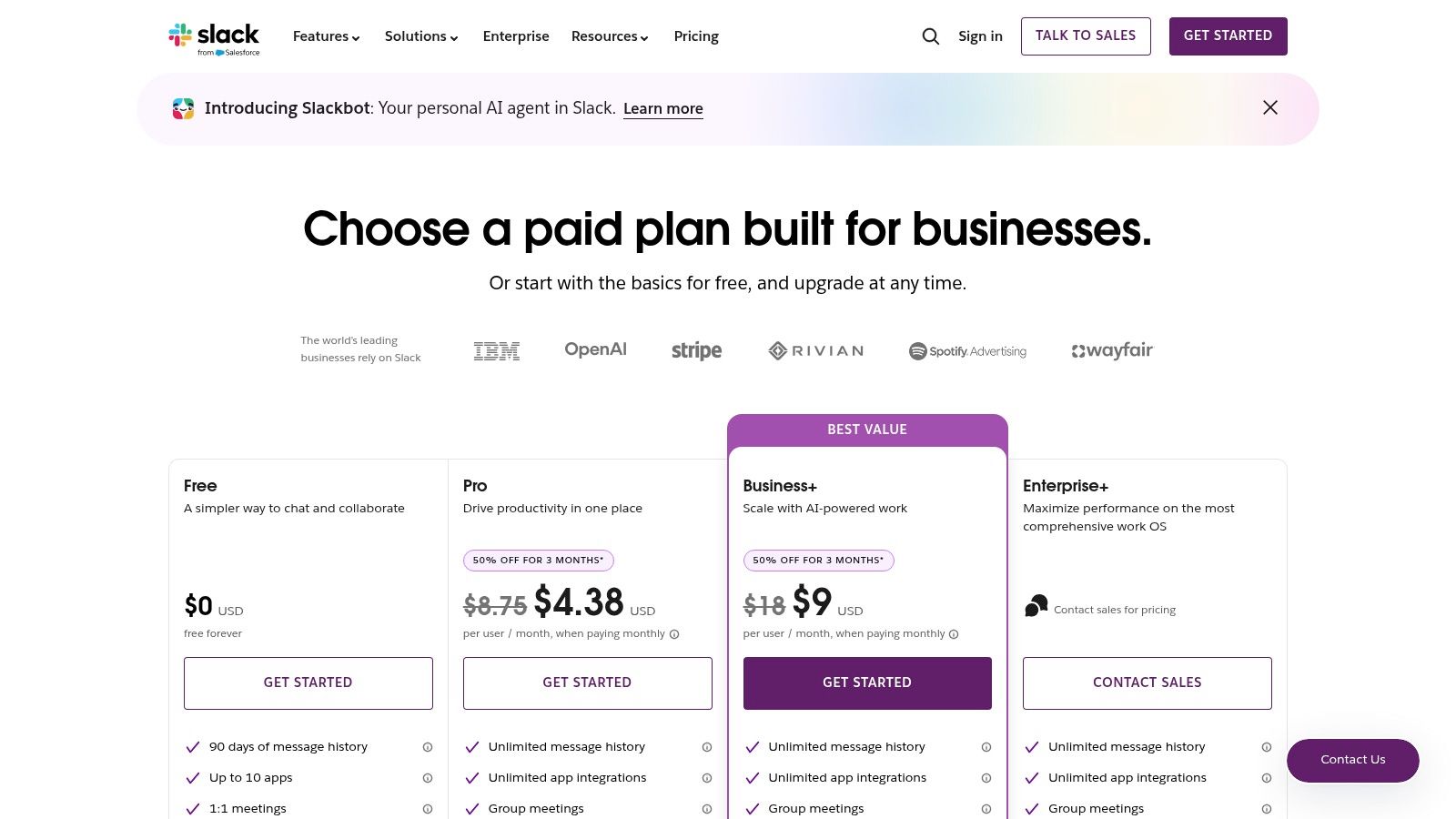
Slack offers a free tier, but its 90-day message history limit is a significant drawback for TA teams needing to reference past candidate conversations. Paid plans (Pro at $8.75/user/mo and Business+ at $15/user/mo) unlock unlimited history and more integrations. While powerful, the per-user cost can become substantial for larger teams.
2. Microsoft teams
For organizations deeply embedded in the Microsoft 365 ecosystem, Microsoft Teams is the default powerhouse among team communication tools. Its greatest advantage is its native integration with the entire Office suite. This allows TA teams to schedule interviews directly from a chat, co-author offer letters in real-time, and store candidate documents in a secure, centralized location without ever leaving the Teams interface. This unified approach is a massive productivity boost for enterprises prioritizing security and a single vendor solution.

Unlike competitors that focus solely on chat, Teams combines persistent messaging, video meetings, and file storage into one cohesive platform. Recruiters can create dedicated channels for each open role, much like Slack, but with the added benefit of deep SharePoint integrations for managing interview pipelines. For distributed hiring teams, learning the best practices for setting up these tools is a key part of mastering how to work from home effectively. The platform’s robust meeting features, including live transcripts, are also invaluable for reviewing panel interviews.
Quick question: Is this all just theory?
Not at all. A case study from Forrester in 2023 found that Microsoft Teams saved enterprise users up to 4.2 hours per week by consolidating communication and file sharing, a direct boost to recruiter productivity.
Best for & key features
Best for: Enterprise TA teams and companies that already use Microsoft 365 for daily operations.
Deep Office 365 integration: Seamlessly co-edit Word documents, manage Excel candidate trackers, and present PowerPoint slides.
Meetings & calling: Robust video conferencing with transcripts, recordings, and breakout rooms, with options for a full cloud-based phone system.
Enterprise security: Leverages Microsoft’s comprehensive security and compliance features, critical for regulated industries.
File management: Integrated with SharePoint and OneDrive for structured and secure document storage and sharing.
Pricing & limitations
Microsoft offers a basic free version of Teams. However, its true value is unlocked when bundled with Microsoft 365 plans, such as Microsoft 365 Business Basic at $6/user/mo or Business Standard at $12.50/user/mo. The primary limitation is its complexity; the administration panel can be overwhelming for non-IT personnel.
3. Google chat (Google workspace)
For organizations integrated into the Google ecosystem, Google Chat is a natural and cost-effective extension for team communication. It consolidates conversations within the familiar Google Workspace interface, allowing TA teams to collaborate seamlessly alongside Gmail, Calendar, and Docs. Its core value lies in this native integration, where you can convert an email thread into a Chat “Space” or instantly start a Meet video call from a direct message.
Unlike standalone platforms, Google Chat’s power is amplified by its connection to Drive. Recruiters can share candidate resumes, interview scorecards, and offer letters directly from Drive, with permissions managed centrally. This creates a secure, single source of truth for all hiring documents. Spaces, which function like channels, can be created for specific roles to keep all related files, tasks, and conversations organized. When a candidate is hired, this centralized hub simplifies the transition to the next stage, a key part of creating a smooth process for automated employee onboarding.
Best for & key features
Best for: Cost-conscious TA teams already using Google Workspace for email and document collaboration.
Deep workspace integration: Natively share and co-edit Docs, Sheets, and Slides within chat; create and manage tasks.
Spaces: Organize conversations into topic-based rooms with threaded replies to keep discussions focused.
Integrated Google Meet: Launch secure video calls with one click directly from any chat or Space.
Gemini AI: (On paid tiers) Get AI-powered summaries, smart replies, and advanced search across the entire Workspace.
Pricing & limitations
Google Chat is included with all Google Workspace plans, starting with Business Starter at $6/user/mo. However, its primary limitation is a less mature third-party app ecosystem compared to Slack. While it has essential integrations, TA teams relying on niche recruiting tools may find its directory lacking. The platform’s strength is its unity, but this can also be a weakness if your team’s workflow extends far beyond Google’s walls.
4. Zoom team chat (Zoom Workplace)
For teams already living in Zoom for virtual interviews and meetings, Zoom Team Chat offers a consolidated approach to team communication. Instead of adding another application, it integrates persistent chat directly into the Zoom ecosystem. This creates a seamless workflow, allowing recruiters to instantly escalate a chat conversation about a candidate into a video call with a hiring manager. The core value is its native integration with the meeting experience.
The platform’s standout feature is its “Continuous Meeting Chat,” which connects conversations before, during, and after a meeting in a single thread. For a TA team, this means all interview debrief notes and scheduling logistics for a specific role are tied directly to the interview events themselves. This prevents critical feedback from getting lost. Making sure your team understands proper virtual meeting etiquette is key to maximizing the effectiveness of this connected workflow, which is crucial for managing the entire recruitment lifecycle.
But there’s a catch.
While unifying communication is powerful, a tool that’s just a meeting add-on can lack the deep, workflow-specific integrations that truly accelerate hiring. The question is whether Zoom’s convenience outweighs the specialized power of its competitors.
Best for & key features
Best for: TA teams who primarily use Zoom for interviews and want a single, unified platform for all communication.
Continuous meeting chat: Keeps conversations and files from a meeting organized in a dedicated group chat accessible anytime.
Seamless handoff: Easily transition from a direct message or channel discussion to a video meeting or phone call with one click.
Built-in AI Companion: On eligible paid plans, the AI Companion can summarize chat threads and meetings, helping recruiters quickly catch up.
Whiteboards & file sharing: Collaborate on interview scorecards or share candidate resumes directly within a chat or channel.
Pricing & limitations
The core chat functionality is included with all Zoom licenses, even the free tier. However, advanced features are tied to paid plans like Pro ($15.99/user/mo) and Business ($19.99/user/mo). The primary limitation is its smaller integration library compared to competitors, a drawback for teams relying on niche ATS or HR tools without a native Zoom integration.
5. Webex by Cisco
For organizations where security and an all-in-one unified communications stack are paramount, Webex by Cisco is a powerful contender. While many team communication tools focus on messaging first, Webex integrates messaging, enterprise-grade video meetings, and advanced calling features into a single, secure platform. This is particularly advantageous for recruiting in regulated industries like finance or healthcare, or for global TA teams needing reliable video interviewing capabilities backed by Cisco’s robust infrastructure.
Unlike more startup-focused tools, Webex excels in its deep hardware integrations and sophisticated administrative controls. TA teams can leverage features like real-time translation and noise removal for clearer candidate interviews and use dedicated “Spaces” for organizing hiring loops. The platform’s emphasis on security means confidential candidate data is protected by end-to-end encryption. However, for smaller, agile teams not needing the full unified communications suite, the interface can feel less intuitive than simpler alternatives.
Best for & key features
Best for: Enterprise TA teams and companies in regulated industries that need a single, secure platform for messaging, video interviews, and calling.
Unified platform: Seamlessly combines team messaging, video meetings, digital whiteboarding, and enterprise phone systems.
Security & compliance: Built with Cisco’s security-first DNA, offering end-to-end encryption and advanced admin controls for data governance.
AI-powered meetings: Features like background noise removal, real-time translations, and automated meeting highlights are valuable for candidate interviews and debriefs.
Hardware ecosystem: Integrates tightly with Cisco’s professional meeting room devices for a superior hybrid work experience.
Pricing & limitations
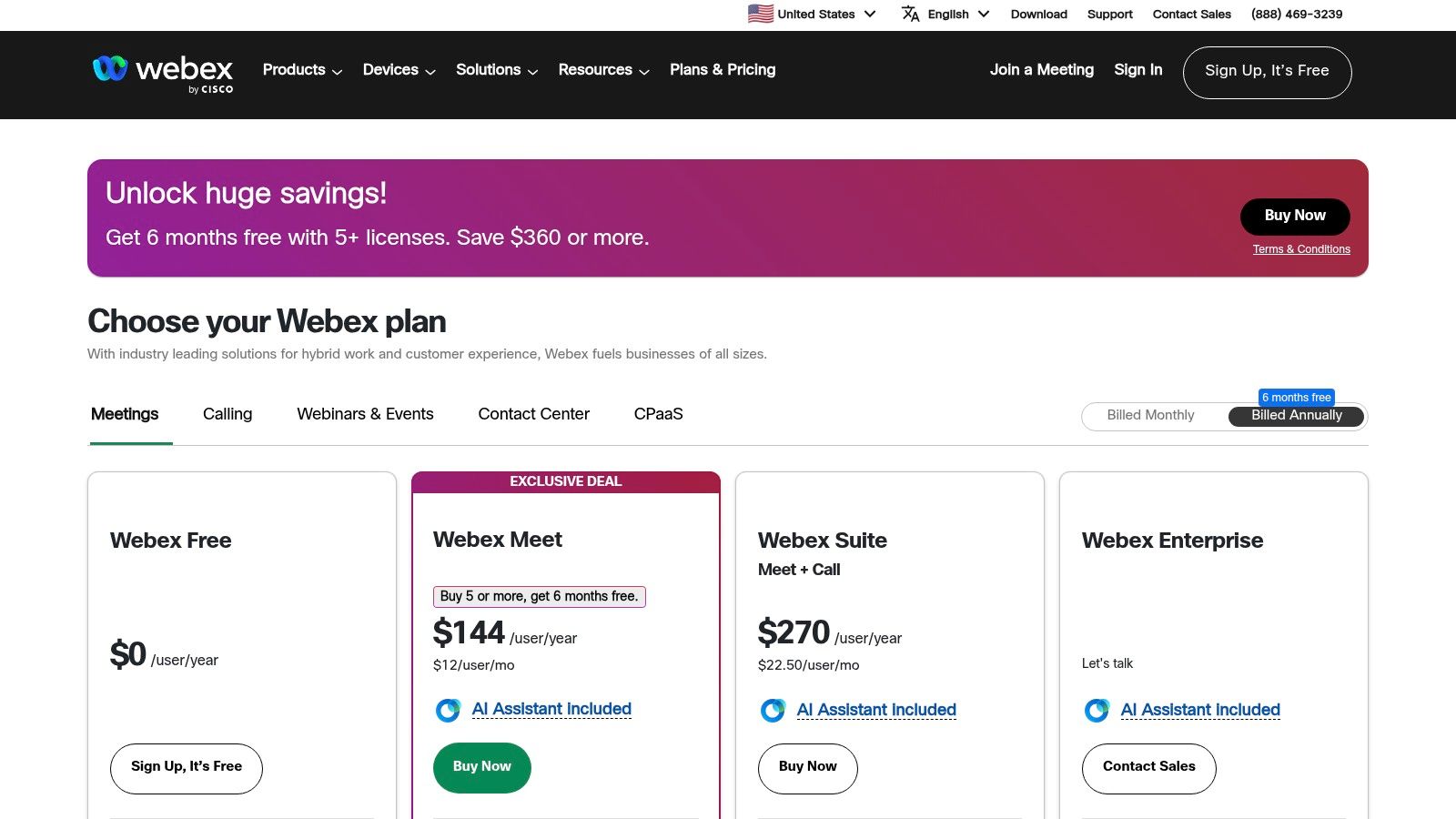
Webex provides a free plan with 40-minute meeting limits. The paid tiers (Meet at $14.50/license/mo and Suite at $25/license/mo) unlock longer meetings, advanced security, and larger storage. The Enterprise plan offers a full-featured PBX phone system. While comprehensive, the UI can feel more complex, and its true power is unlocked in paid tiers.
6. RingCentral MVP
RingCentral MVP is a unified communications platform that goes beyond standard messaging by integrating robust enterprise telephony features. It’s one of the few team communication tools that combines team chat, HD video meetings, and a full cloud phone system (PBX) into a single package. For TA teams that still rely heavily on phone calls for candidate screening or reference checks, this all-in-one approach eliminates the need for separate chat and VoIP subscriptions.
Here’s what most people don’t know:
What distinguishes RingCentral is its maturity in the telephony space. Recruiters get access to advanced features like call queues for inbound candidate inquiries and detailed call analytics to track outreach effectiveness. This is particularly valuable for staffing agencies or high-volume corporate teams where reliable phone communication is mission-critical. Leveraging these tools correctly can significantly improve key recruiting metrics like response rates and time-to-contact.
Best for & key features
Best for: High-volume TA teams and agencies that require an integrated enterprise-grade phone system alongside their chat and video tools.
Unified platform: Seamlessly switch between team messaging, file sharing, video meetings, and phone calls within one application.
Cloud PBX system: Advanced call management features, including call forwarding, queues, multi-level auto-attendant, and detailed analytics.
HD video meetings: Host interviews and team syncs with features like whiteboarding, breakout rooms, and meeting summaries.
Integrations: Connects with key business software, including Microsoft 365, Google Workspace, and various CRMs to streamline workflows.
Pricing & limitations
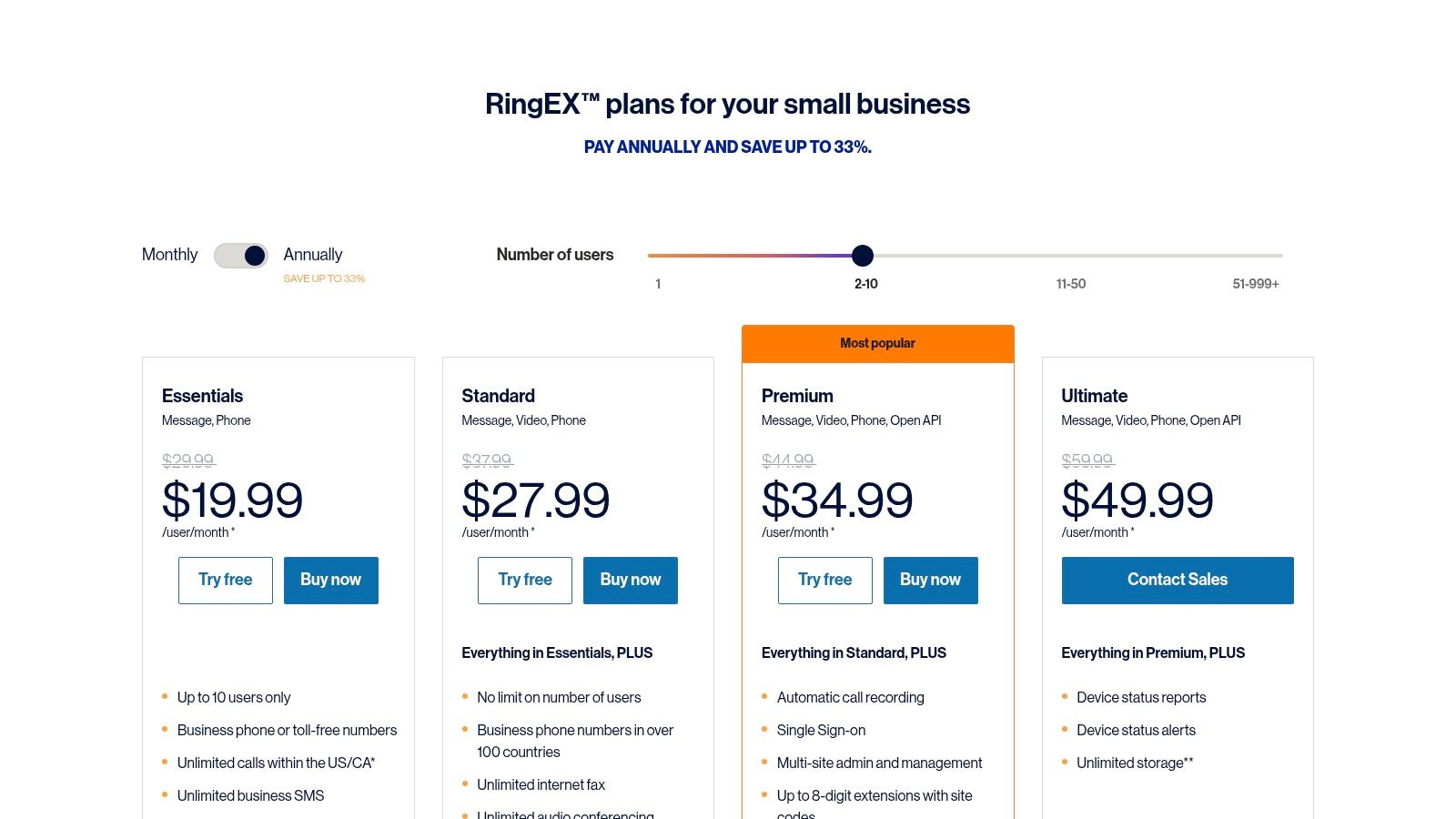
RingCentral’s pricing is tiered, starting with the Core plan at $30/user/mo. The Advanced plan at $35/user/mo unlocks more robust features like automatic call recording. The main limitation is that its pricing model provides the best value when a team fully adopts its telephony features; otherwise, it can be more expensive than dedicated chat tools.
7. Zoho Cliq
For teams already invested in the Zoho ecosystem, Zoho Cliq is a powerful and cost-effective channel-based messaging platform. It integrates deeply with other Zoho apps like CRM and Projects, making it one of the most cohesive team communication tools for businesses running on Zoho. Similar to its competitors, it organizes conversations by channels, but adds unique features like audio/video messages and built-in task management directly within the chat interface.
What makes Cliq a compelling choice is its value proposition, especially when bundled with Zoho Workplace or Zoho One. It offers generous storage and a robust feature set at a fraction of the cost of standalone competitors. While its third-party integration library isn’t as vast as Slack’s, its native connection to the Zoho suite provides a seamless workflow for recruiters. This creates a unified environment where communication and candidate management live side-by-side, which can be a key driver for positive employee engagement within the TA team itself.
Best for & key features
Best for: SMBs and startups already using or planning to use the Zoho suite of business applications.
Native Zoho Integration: Unparalleled connectivity with Zoho CRM, Projects, and other apps, creating a single source of truth.
Built-in tasking: Create and assign tasks directly from a message with simple keyboard shortcuts, ensuring interview follow-ups are never missed.
Audio & video messages: Send quick, asynchronous video or audio clips for check-ins or feedback, adding a personal touch to internal communications.
Cost-effectiveness: Offers a feature-rich experience, often bundled with other essential business software.
Pricing & limitations
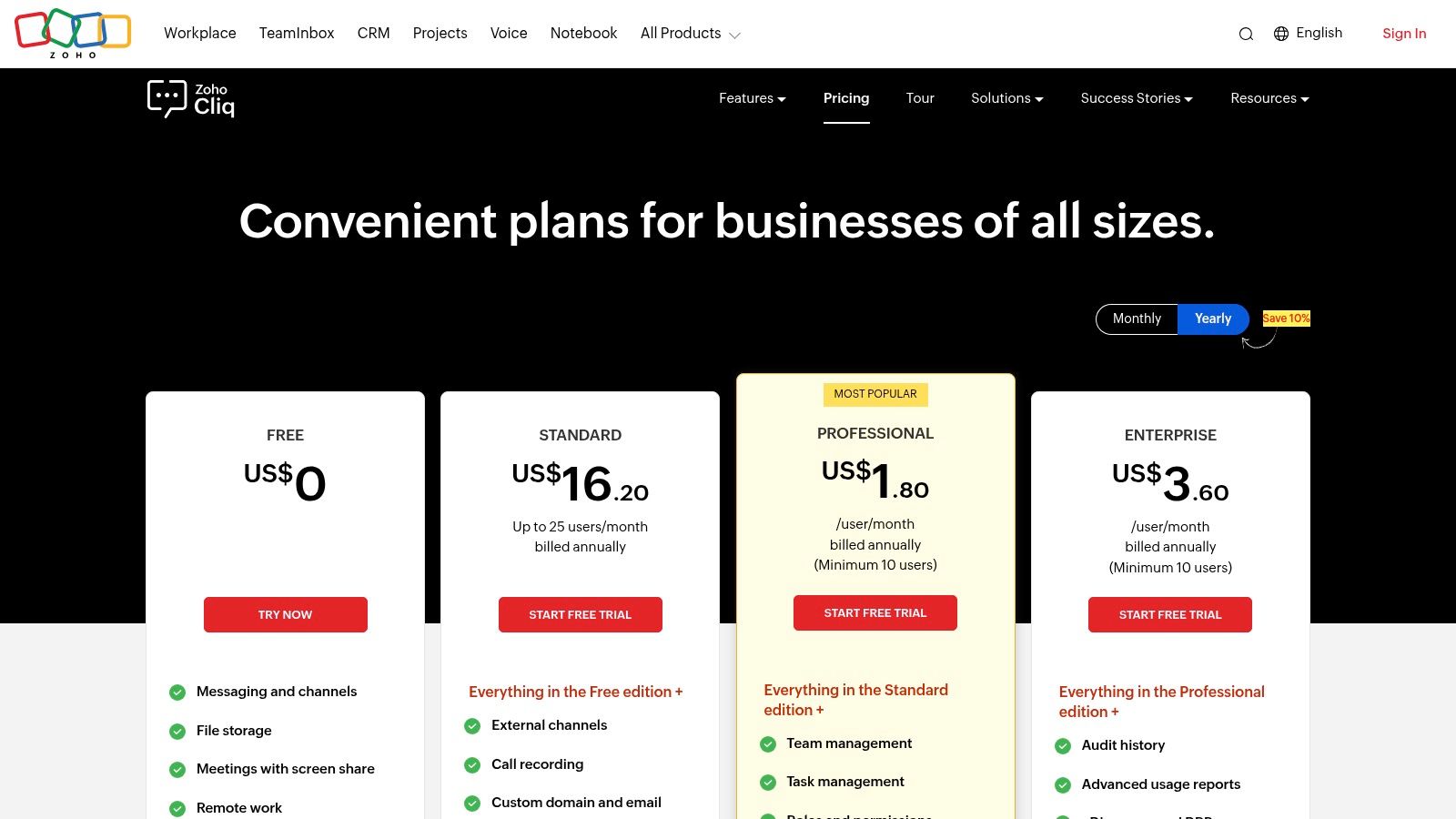
Zoho Cliq has a free plan for up to 100 users with a 10,000-message search limit. The paid plan is exceptionally affordable at $1/user/mo, unlocking unlimited message history and advanced features. However, its primary limitation is a smaller third-party app marketplace. Teams heavily reliant on a wide array of non-Zoho recruiting tools may find the integration options restrictive.
8. Mattermost
Mattermost is an open-core, self-hosted messaging platform designed for technical and security-conscious organizations. Unlike cloud-only team communication tools, its main advantage is complete data sovereignty, making it ideal for TA teams in regulated industries like finance or healthcare where candidate data privacy is paramount. Recruiters can deploy it on-premises or in a private cloud, ensuring full control over confidential information.
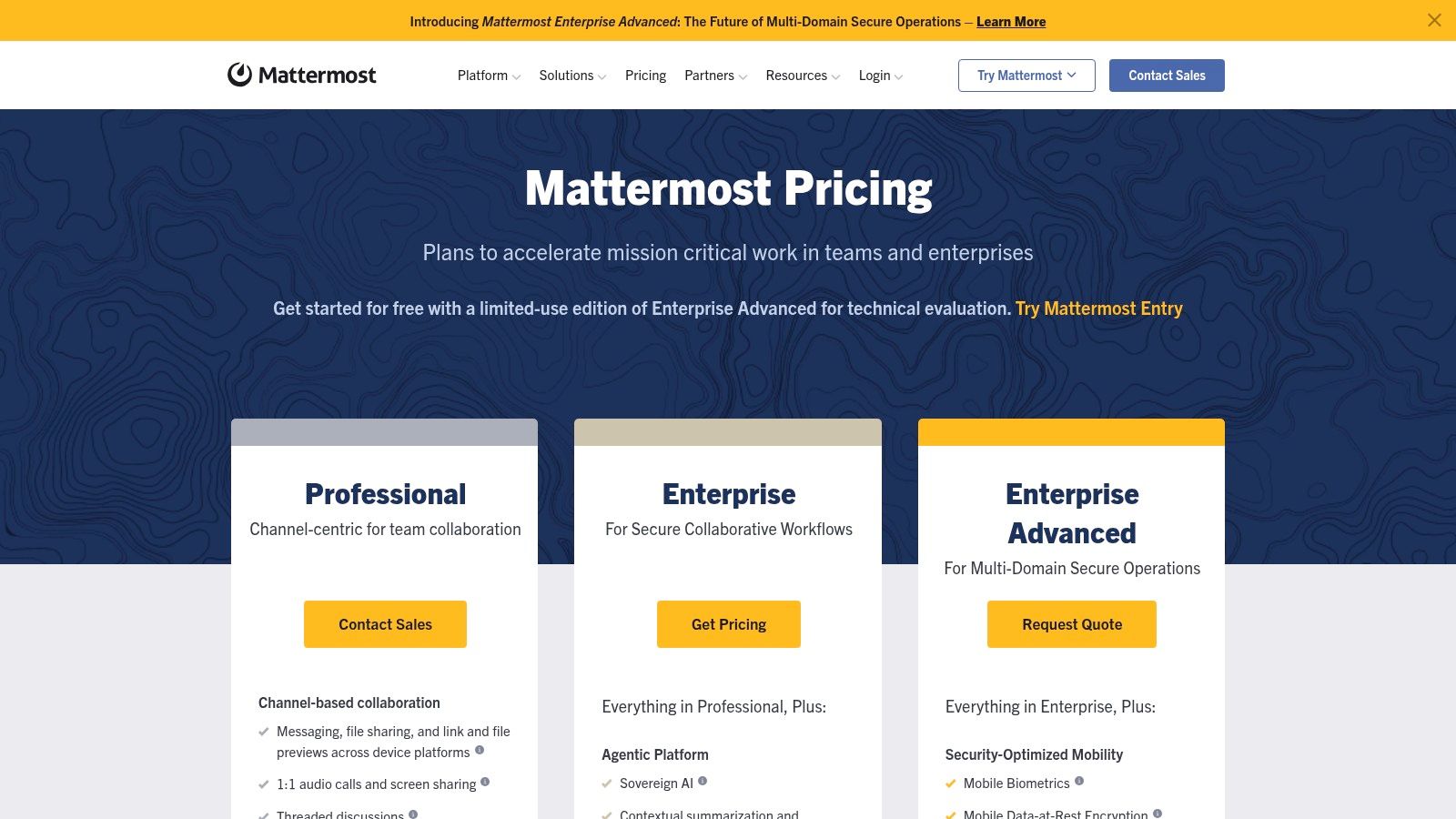
The platform provides channel-based messaging and video calls similar to competitors, but with an emphasis on security. For technical recruiting teams, its deep integrations with DevOps tools like Jira and GitHub are a significant benefit, allowing seamless communication between recruiters and engineering hiring managers within their native environments. This alignment is critical for maintaining context on technical assessments. Mattermost also offers advanced AI capabilities, including a “bring your own” Large Language Model (BYO-LLM) framework, giving companies control over their AI strategy.
Ready for a quick tip?
Use Mattermost’s custom slash commands to build simple workflows, like /request-feedback [candidate-name] which can ping a channel of interviewers and link to your ATS feedback form, saving valuable time.
Best for & key features
Best for: TA teams in high-security, regulated, or government sectors requiring full data control and on-premises deployment.
Data sovereignty: Self-hosted and private cloud options give you complete ownership and control over your communication data.
DevOps integrations: Connects directly with tools like Jira, GitHub, and GitLab, creating a unified workspace for technical hiring.
AI control: Offers an agent framework and BYO-LLM support for custom, secure AI-powered summaries and workflows.
High-compliance support: Designed for stringent requirements, including air-gapped environments and FedRAMP/FIPS-oriented deployments.
Pricing & limitations
Mattermost offers a free self-hosted tier for small teams. Paid plans (Professional and Enterprise) are quote-based. This sales-led model and the technical overhead of setup are the primary limitations. Unlike turnkey SaaS tools, Mattermost demands more internal IT resources to manage.
9. Rocket.Chat
Rocket.Chat is an open-source communication platform designed for teams that prioritize security, compliance, and data sovereignty. Its key differentiator is offering both a hosted cloud version and a self-hosted option, making it an excellent team communication tool for government contractors, healthcare, or finance recruiting teams operating under strict data-handling regulations like GDPR or HIPAA. This flexibility allows TA teams to maintain complete control over sensitive candidate data.
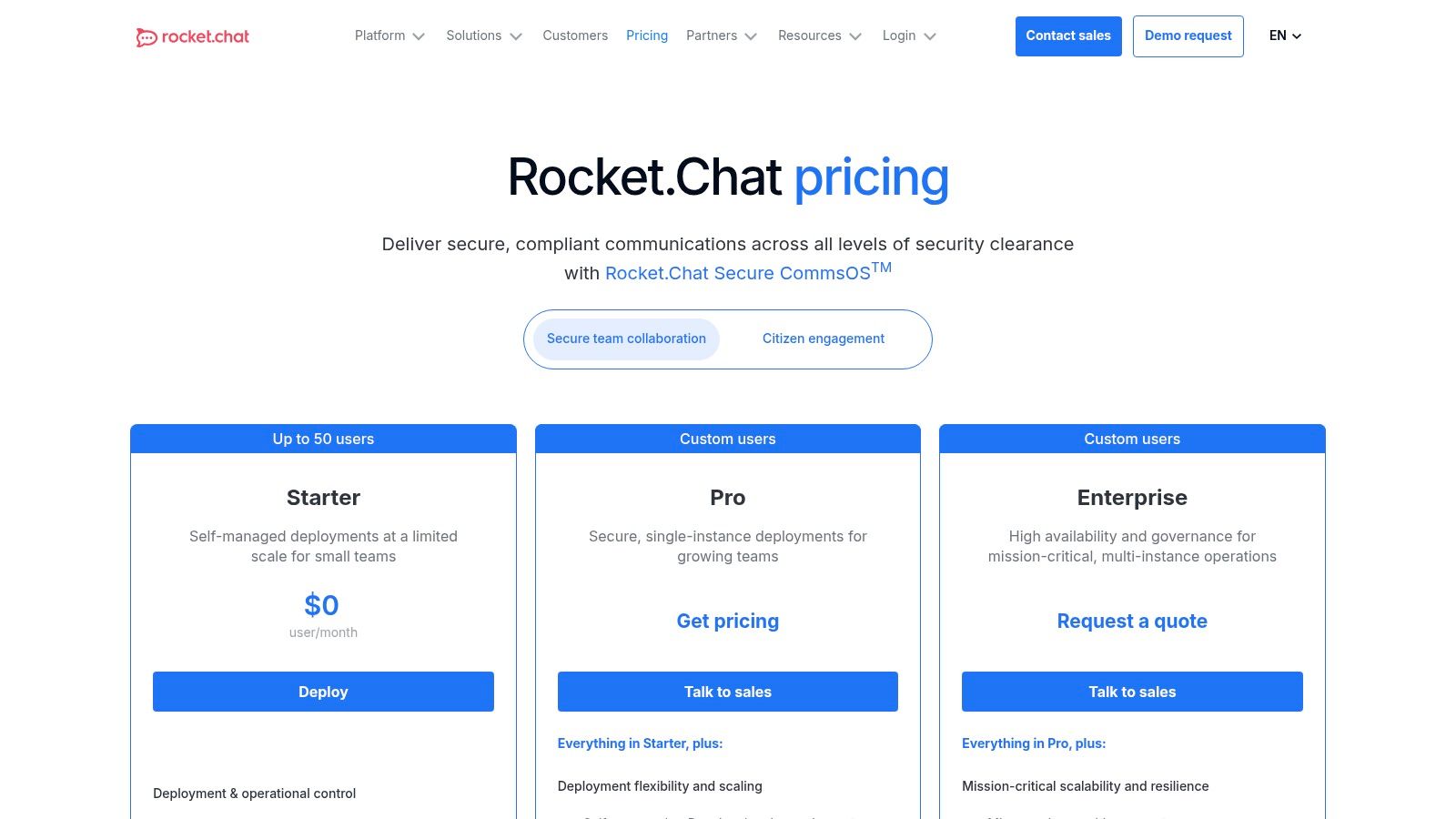
What sets Rocket.Chat apart is its deep customizability and focus on secure integrations. TA teams can white-label the entire platform to match company branding, creating a seamless experience for internal stakeholders. It supports secure connections to LDAP/Active Directory for user management and offers robust APIs for building custom workflows, such as integrating an on-premise ATS without sending candidate information to third-party cloud services. For organizations where data cannot leave their network, Rocket.Chat provides a powerful, air-gapped solution, a critical consideration for specialized roles like a freelance recruiter.
Best for & key features
Best for: TA teams in highly regulated industries or those requiring absolute control over their communication data and platform branding.
Flexible deployment: Can be self-hosted on-premise for maximum control or used as a SaaS product.
Security & compliance: Supports end-to-end encryption and compliance with major data protection regulations.
Integrations: Connects with video conferencing tools like Jitsi and Pexip, and supports SSO via SAML/OIDC.
White-labeling: Fully customizable interface to align with corporate branding for a consistent user experience.
Pricing & limitations
Rocket.Chat offers a free Community edition. The Pro plan is listed at $7/user/mo, and an Enterprise plan is available with custom pricing. The primary limitation is the administrative overhead; self-hosting requires dedicated IT resources for setup and maintenance.
10. Element (matrix)
For organizations where data sovereignty and security are non-negotiable, Element offers a fundamentally different approach. Built on the open-source Matrix protocol, it provides decentralized, end-to-end encrypted communication, making it one of the most secure team communication tools available. This architecture gives TA teams complete control over their data, whether using Element’s cloud hosting or running their own server, eliminating vendor lock-in.
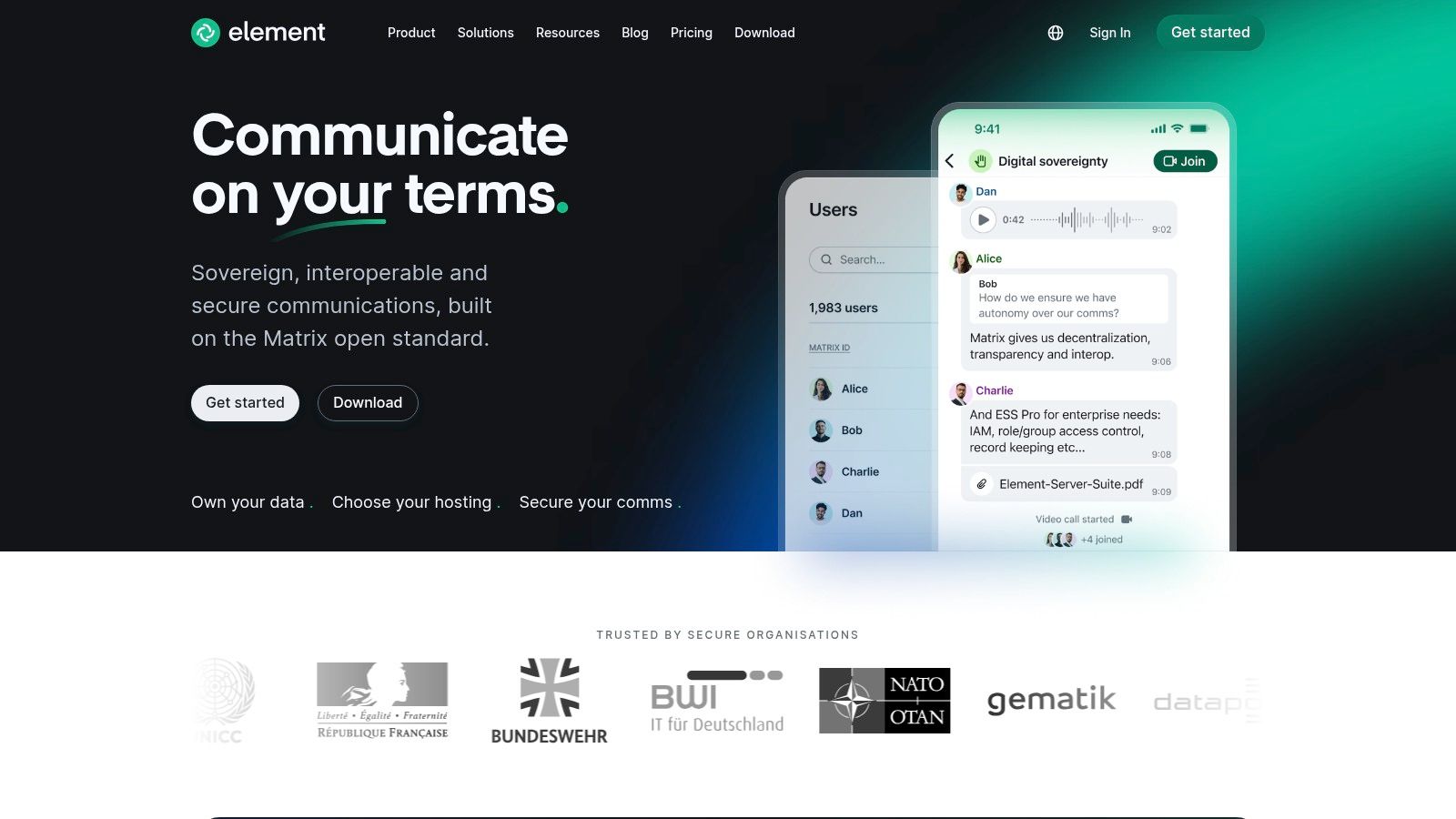
Element’s unique strength is “federation,” which allows separate organizations to communicate securely without needing guest access. A recruiting agency and a client can connect their respective Element servers, enabling seamless and encrypted cross-company dialogue. While it lacks the vast, native app directory of Slack, it offers powerful “bridges” to connect with platforms like Slack and Teams, allowing teams to centralize communications from other tools within Element’s secure environment.
Best for & key features
Best for: Security-conscious TA teams in regulated industries (e.g., finance, healthcare, defense) or those prioritizing data ownership.
Federation: Securely communicate and collaborate with external partners, agencies, and candidates without adding them to your internal server.
End-to-End Encryption (E2EE): Default encryption on all messages, files, and calls ensures conversations remain confidential.
Bridging: Integrate with other communication platforms like Slack or Teams, pulling external conversations into Element’s secure interface.
Hosting flexibility: Choose between managed cloud hosting with SLAs via Element Matrix Services or self-hosting for maximum control.
Pricing & limitations
Element offers various hosting plans. The Cloud plan starts at $5/user/mo. Self-hosted options are free for the open-source software but require technical expertise. The primary limitation is its less-developed ecosystem of turnkey business integrations; connecting to an ATS often requires custom bots or development work.
11. Twist
Twist is an asynchronous-first messaging platform designed for teams that prioritize deep work over the constant interruptions of real-time chat. It stands out among team communication tools by structuring every conversation into clear, topic-based threads. For TA teams juggling candidate sourcing, interview scheduling, and debriefs, this means discussions about #swe-role-q4 remain focused and easily searchable, creating a persistent knowledge base instead of a fleeting chat history.
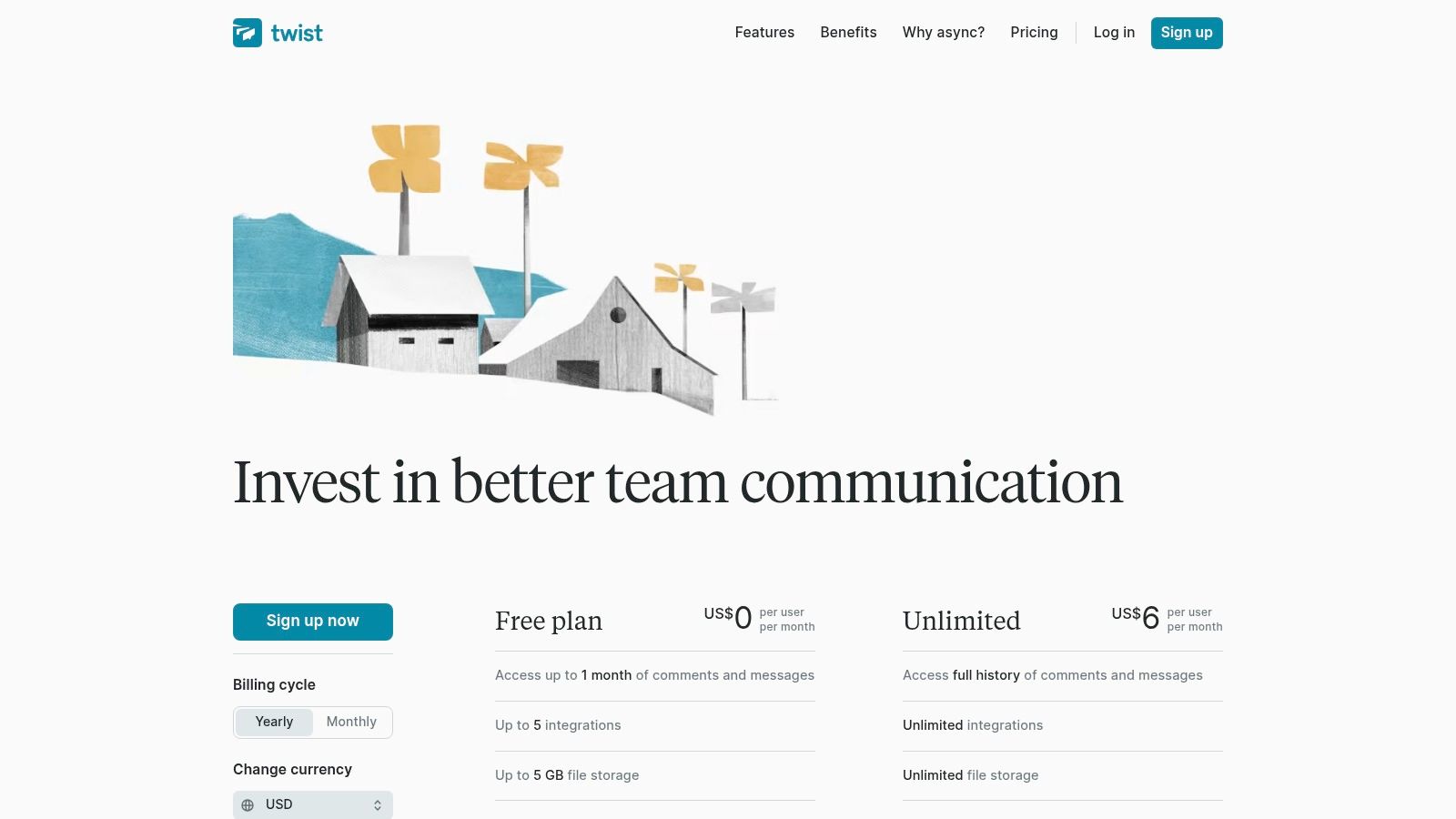
Unlike its noisier counterparts, Twist’s core philosophy is to reduce the pressure for immediate responses, making it ideal for distributed or global recruiting teams working across different time zones. Recruiters can post updates on a candidate pipeline or request feedback on an interview without expecting an instant reply, allowing teammates to engage thoughtfully. This async-first approach helps prevent context-switching and preserves focused blocks for sourcing in tools like the best sourcing tools for recruiters or conducting interviews.
Let me show you something.
Atlassian, a major proponent of async work, found that reducing chat notifications led to a 65% increase in focus time for their engineering teams over a 12-month period. The same principle applies directly to recruiters needing uninterrupted time for sourcing and candidate engagement.
Best for & key features
Best for: Distributed or remote-first TA teams that need to document decisions and reduce communication overhead.
Threaded by default: Every conversation starts as a thread, preventing important candidate updates from getting buried in a single channel feed.
Channels: Organize conversations by project, role, or team, such as
#q1-hiring-planor#sourcing-tools.Inbox & saved items: A centralized inbox collects all your relevant threads, allowing you to process updates at your own pace.
Guest access: Invite external agency partners or contractors to specific channels with limited permissions for secure collaboration.
Pricing & limitations
Twist offers a compelling free plan with access to one month of history. The paid plan is an affordable $8/user/mo that unlocks unlimited history. The primary limitation is its intentional lack of real-time features; it has minimal video/audio capabilities and a smaller integration catalog. It is a tool for focused communication, not a unified communications suite.
12. Chanty
Chanty positions itself as an all-in-one collaboration hub, making it one of the more versatile team communication tools for small to mid-sized businesses. It combines team chat, task management with a Kanban board, and audio/video calls into a single, approachable platform. For a growing recruiting team on a tight budget, this bundling eliminates the need to pay for separate project management software, allowing coordinators to assign tasks like “schedule first-round interviews” directly within the chat interface.
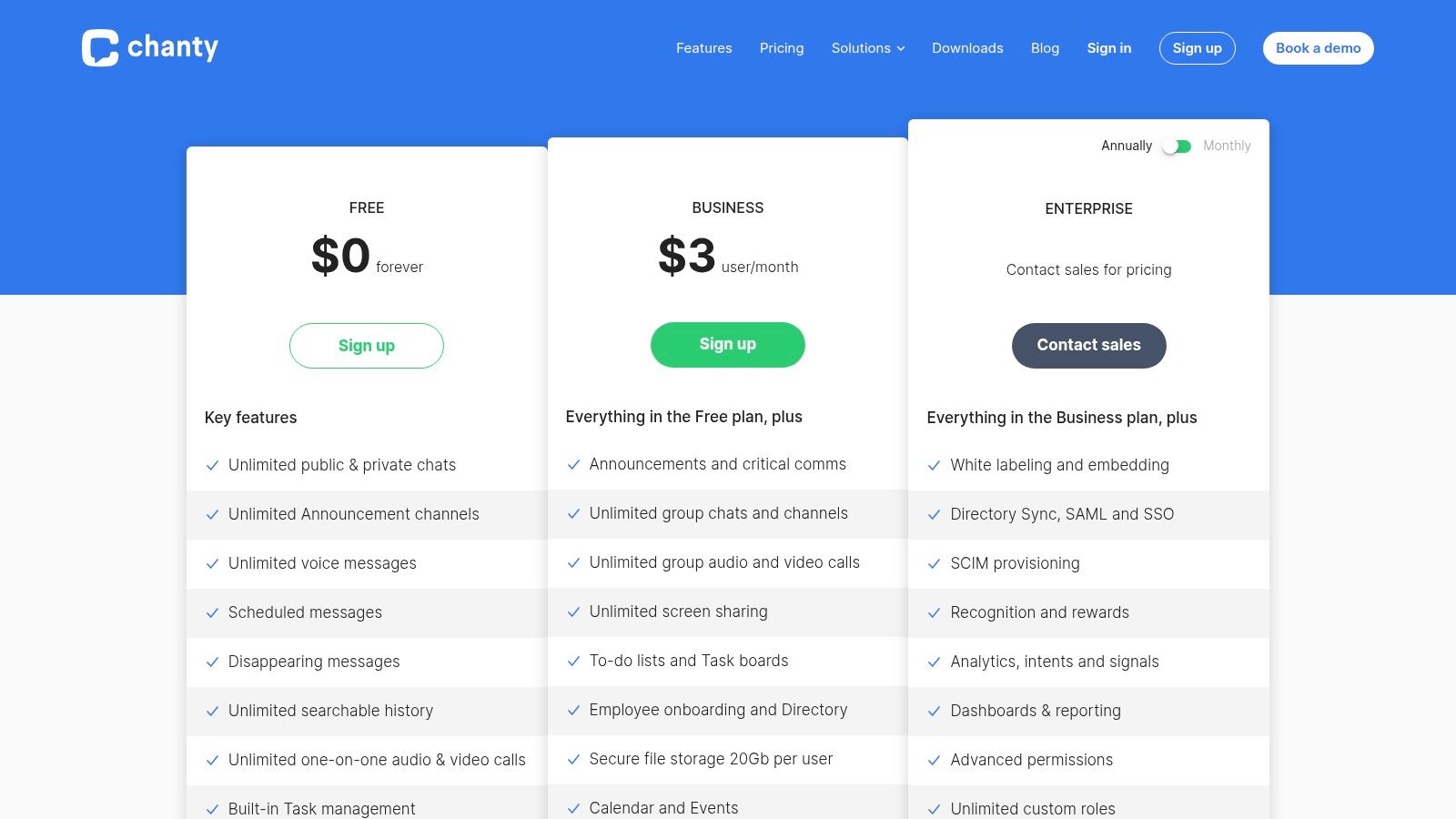
What makes Chanty compelling for startups is its aggressive pricing and straightforward user experience. Unlike more complex platforms, Chanty is easy to set up and requires minimal training. While its integration library is smaller than Slack’s, it covers essential tools like Trello, Google Drive, and Zapier, allowing for basic automation of recruiting workflows. The built-in task management is a key differentiator for TA teams looking to manage candidate pipelines visually without leaving their primary communication tool.
Best for & key features
Best for: Budget-conscious SMBs and startups needing a simple, all-in-one chat and task management solution.
Teambook: A centralized hub for all your messages, tasks, files, and links, making it easy to find candidate information.
Built-in task management: Create tasks from any message and manage them on a dedicated Kanban board, ideal for tracking interview stages.
Voice and video calls: Supports one-on-one and group calls with screen sharing for internal syncs or quick candidate pre-screening chats.
Guest users: Invite external agency partners or freelance recruiters to specific conversations with controlled permissions.
Pricing & limitations
Chanty offers a generous free plan with unlimited message history for up to 5 users. The Business plan at $4/user/mo is extremely competitive, unlocking unlimited members and group video calls. However, the app ecosystem is less mature than larger competitors, which may be a limitation for TA teams reliant on niche ATS or HRIS integrations.
Top 12 team communication tools comparison
Platform | ✨ Core Features | ★ UX / Quality | 💰 Value & Pricing | 👥 Target Audience | 🏆 Standout |
|---|---|---|---|---|---|
Slack | Channels, Huddles, 2,600+ apps, workflows, AI summaries | ★★★★☆ | Mid–high; free tier limits history | Cross-company teams, integrators | Largest app ecosystem & adoption |
Microsoft Teams | Chat, meetings, OneDrive/SharePoint, enterprise security | ★★★★ | Bundled with Microsoft 365 — cost-effective at scale | Microsoft 365 orgs, enterprises | Deep Office integration & compliance |
Google Chat (Workspace) | Spaces, Meet, Drive/Docs collaboration, Gemini AI | ★★★★ | Competitive for Workspace subscribers | Google-native orgs, SMBs | Seamless Docs/Drive integration |
Zoom Team Chat | Channels, meeting-linked threads, whiteboards, AI Companion | ★★★★ | Included with Zoom licenses; add-ons for advanced features | Meeting-first organizations | Smooth chat ↔ meeting handoff |
Webex by Cisco | Messaging, meetings, calling, whiteboards, strong security | ★★★★ | Enterprise pricing; paid tiers for advanced UC | Security & compliance-focused orgs | Cisco-grade security & UCaaS stack |
RingCentral MVP | Chat, HD meetings, cloud PBX, call analytics | ★★★★ | Complex tiers; best value with telephony | Teams needing enterprise telephony | Unified comms + robust telephony |
Zoho Cliq | Channels, video, tasks, deep Zoho suite integration | ★★★☆ | Budget-friendly — strong Zoho value | SMBs using Zoho apps | Cost-effective within Zoho ecosystem |
Mattermost | Self-hosted or managed, BYO-LLM, FedRAMP/FIPS options | ★★★★ | Sales-led pricing; higher ops cost if self-hosted | Regulated, technical, and government teams | Data sovereignty & high compliance |
Rocket.Chat | Open-source, self-hosted/hosted, white-label, LDAP/SSO | ★★★★ | Flexible; Pro/Enterprise via sales | Compliance-focused & custom deployments | High control, branding & deployment flexibility |
Element (Matrix) | E2E encryption, federation, bridges to other platforms | ★★★☆ | Hosted or self-hosted; privacy-forward value | Privacy & security-first organizations | Federation & anti–vendor lock-in |
Twist | Async-first threads, searchable history, lightweight tasks | ★★★☆ | Affordable; optimized for async work | Distributed teams prioritizing deep work | Low-noise, threaded async communication |
Chanty | Messaging, voice/video, tasks/Kanban, role controls | ★★★☆ | Very low per-user pricing — SMB friendly | Small, budget-conscious teams | Affordable all-in-one with basic PM tools |
Conclusion
You might think, “Another tool is the last thing my team needs.” It’s a valid concern. The market is saturated, and the risk of “tool fatigue” is real. But this perspective often fails because it views these platforms as isolated additions rather than strategic integrators. The key is to select a tool that doesn’t just add another icon to your desktop but acts as the connective tissue between your most critical systems: your Applicant Tracking System (ATS), your calendar, and your sourcing platforms like Juicebox.
The core benefit of the right team communication tools is moving from chaotic, multi-channel noise to a streamlined, single source of truth for hiring. For a talent acquisition team, this unlocks incredible efficiency. What this means is reducing time-to-hire by eliminating the small delays that compound over a hiring cycle: the missed notifications, the context-switching between your ATS and chat, the back-and-forth scheduling ping-pong. This is the tangible outcome of a well-chosen communication hub.
FAQs: team communication tools (2026)
What’s the biggest mistake teams make with communication tools?
Focusing on features over workflow integration. A tool is useless if it doesn’t solve your specific communication bottlenecks and connect to your ATS.
How do I ensure adoption of a new communication platform?
Lead with the “why.” Clearly demonstrate how it solves a specific pain point (e.g., “no more lost feedback”) and provide simple, role-based training.
Should my communication tool replace email entirely?
No. It should replace internal email for quick tasks, but email remains essential for formal external communication, especially with candidates.
Ultimately, the best team communication tools act as a force multiplier for your recruiting efforts. They don’t just enable conversation; they structure it, archive it, and make it actionable. By choosing wisely, you’re investing in a more agile, transparent, and effective hiring engine. This gives your team the leverage it needs to win top talent.
The right platform organizes your workflow, but sourcing top-tier talent is where the race is won. Book a Juicebox demo to see how you can find and engage candidates with unparalleled precision.